
Your Mac's vitals,
beautifully live.
A real-time dashboard for CPU, memory, disk, network and battery — with per-app volume, 90-day network history, and one-click AI access built in.
Requires macOS 14 or later · Apple Silicon · Free download
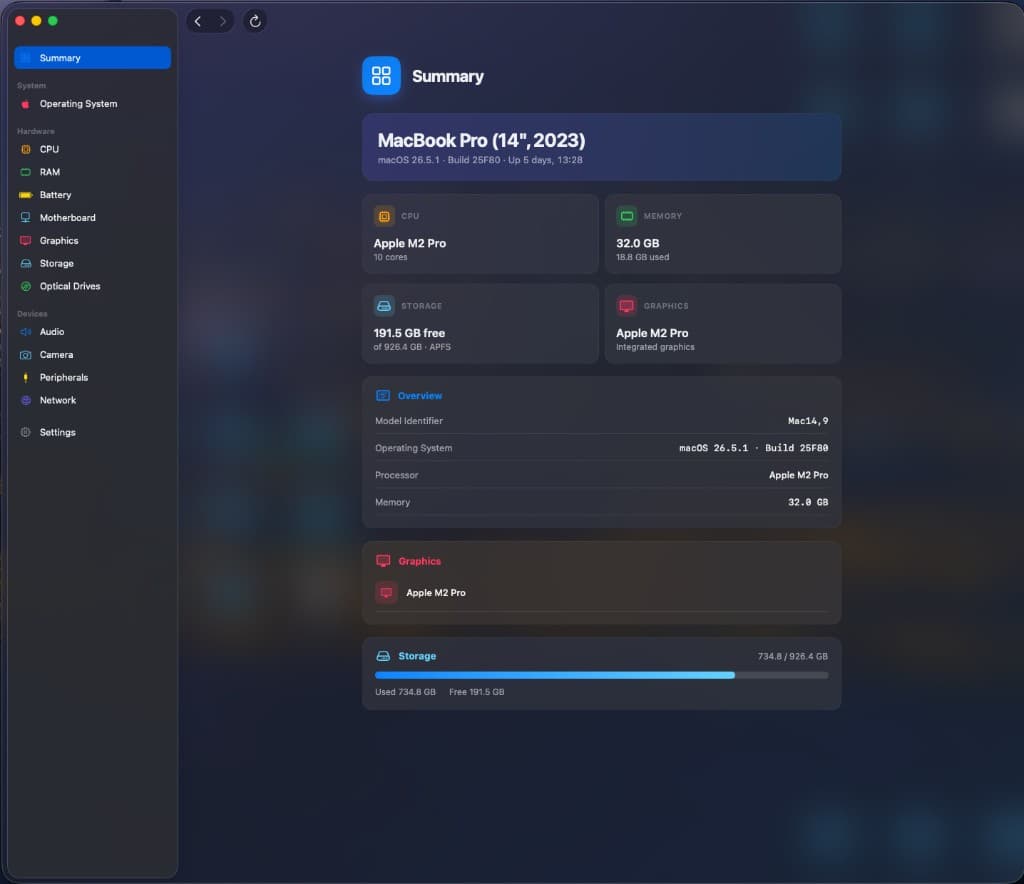
Watch your Mac breathe, in real time
Real-time CPU, memory, disk, network, and battery — updated continuously with smooth spark-line graphs. No refresh, no lag. Just your Mac, live on screen.
- Continuous spark-line graphs
- CPU, RAM, disk, network & battery
- Zero refresh, zero lag
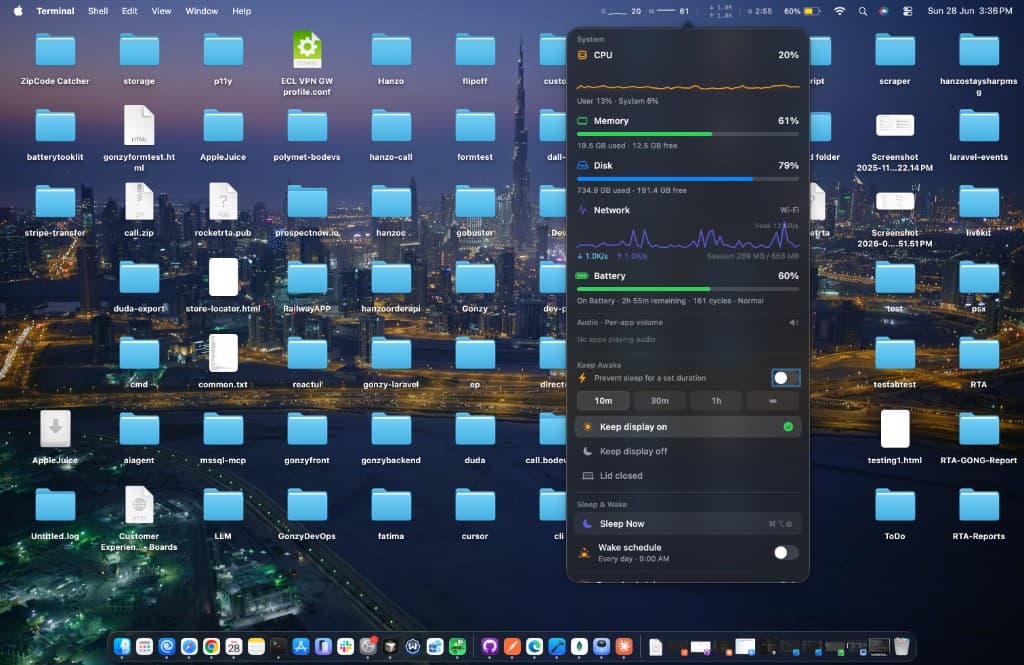
A whole command center in your menu bar
Tiny gauge icons live in your menu bar. One click opens a glass popover with every vital, a per-app volume mixer, Keep Awake, and instant sleep / wake — without ever opening the full app.
- Per-app volume sliders
- Keep Awake for 10m / 30m / 1h / forever
- Sleep now or schedule a daily wake
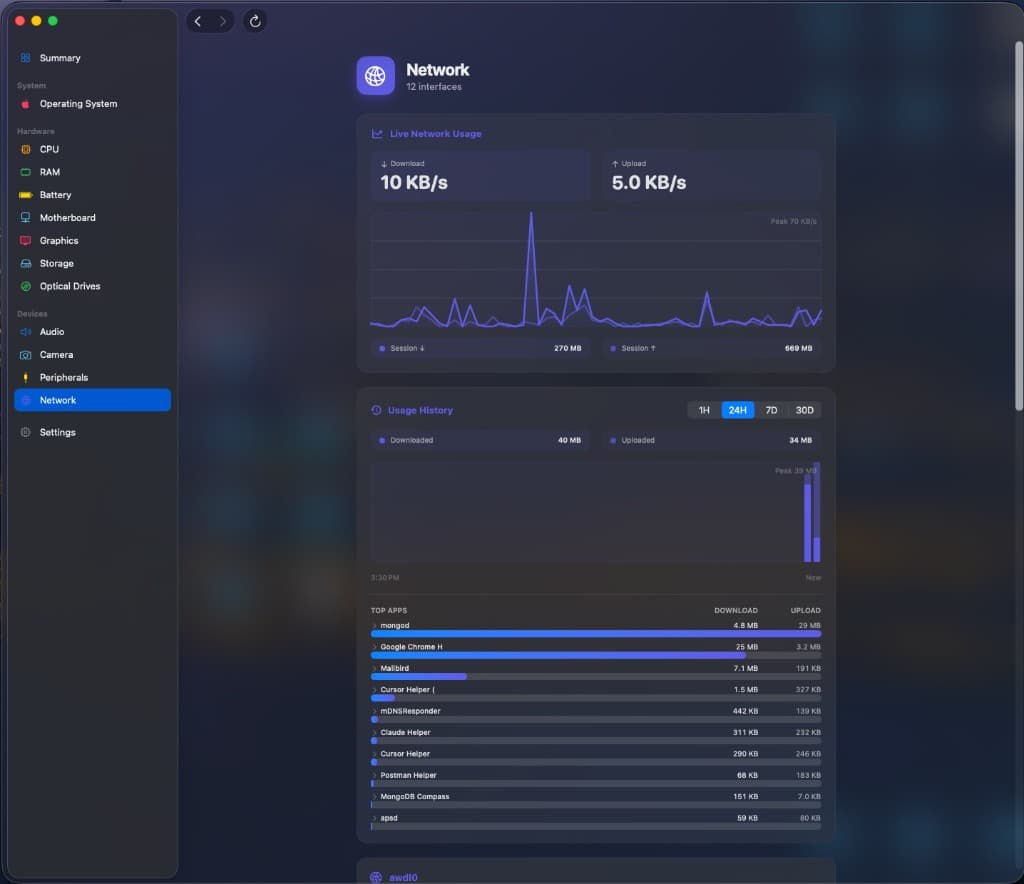
Know exactly who's phoning home
Background tracking of per-app, per-destination network usage, saved locally to SQLite with 90 days of history. See which app sent what — even across restarts.
- Per-app, per-destination tracking
- 90 days of local history
- Survives restarts
Deep-dive live dashboards
Click through the views — every number updates continuously.
Give your AI a live window into your Mac
Flip one switch and AppleJuice exposes your live system stats to Cursor, Claude, and any MCP client over a secure loopback server. Paste the config — your AI reads CPU, memory, disk, network, and battery in real time. No extra tools, no daemons.
{
  "mcpServers": {
    "applejuice": {
      "url": "http://127.0.0.1:8765/mcp"
    }
  }
}
And a lot more.
Every utility you wish macOS shipped with — in one native app.
Per-App Volume Mixer
A real volume slider for each app. Turn down Chrome while Spotify stays loud — right from the menu bar.
Keep Awake
Prevent sleep for 10m / 30m / 1h / forever — keep the display on, off, or run with the lid closed.
Smart Sleep & Wake
Sleep your Mac instantly, or set a daily auto-wake time so it's ready when you are.
Complete Hardware X-Ray
A System-Profiler-grade spec sheet: CPU, RAM, GPU, storage, peripherals — serials behind tap-to-reveal.
Camera Detection
See every camera and whether it's in use — without triggering the light or a permission prompt.
Auto-Updates
Checks, downloads, and installs new versions in place — then relaunches itself.
Launch at Login
Monitoring survives reboots.
Background Agent
Lives in the menu bar, no Dock clutter.
Privacy-First
All data stays local; AI server is loopback-only.
Native & Gorgeous
Built in SwiftUI for Apple Silicon.
Frequently asked questions
Is AppleJuice really free?
Yes — AppleJuice is free forever. No subscription, no trial, no in-app purchases. Download it and use every feature.
What are the system requirements?
macOS 14 or later on Apple Silicon. AppleJuice is a native SwiftUI app built specifically for modern Macs.
Is my data private?
Completely. All monitoring data stays local on your Mac. Network history is stored in a local SQLite database, and the AI (MCP) server is loopback-only — it only listens on 127.0.0.1 and is never exposed to the internet.
How does AI / MCP access work?
Flip one switch and AppleJuice runs a secure local MCP server. Paste the config into Cursor, Claude, or any MCP client and your AI can read live CPU, memory, disk, network, and battery stats in real time — no extra tools or daemons.
Does it use a lot of resources?
No. When you close the window it collapses to a lightweight menu-bar agent with no Dock clutter, sipping minimal CPU while keeping your stats live.

See your Mac breathe.
Native, gorgeous, and completely free — forever.
macOS 14+ · Apple Silicon · no account required